Laura
DESIGN SYSTEM / UI DESIGN

4 Weeks Mission

Carbyne

Carbyne is a technology company that develops software for emergency call centers, such as 911 and 112. Its platform enables dispatchers to respond more quickly by providing critical information in an innovative and efficient way. This project focused on introducing a light mode to improve user comfort without requiring a complete manual redesign of the product. To achieve this, we built a variable-based system within the Figma Design System, allowing the interface to adapt seamlessly while making the design process faster, smarter, and more scalable.

Role

Product Designer
Project methodology

Implement Variables to Design System

01

Problem Domain

Defining Current Color Library

02

Variables Library

Building a Scalable Variable Library with Clear Guidelines

03

Dark / Light Modes

Enabling One-Click Theme Switching with Variables

04

ALI Request Feature

Feature Documentation Guidelines to Follow

problem domain

01

Current Color Library

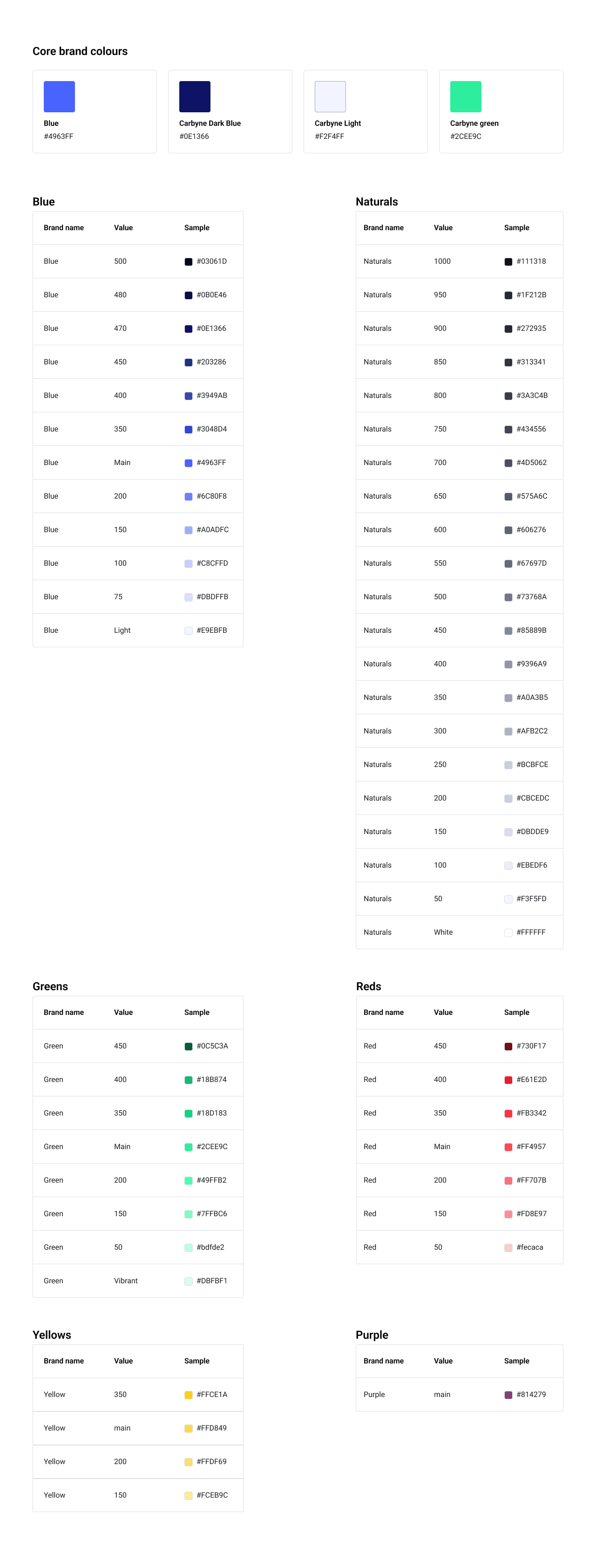
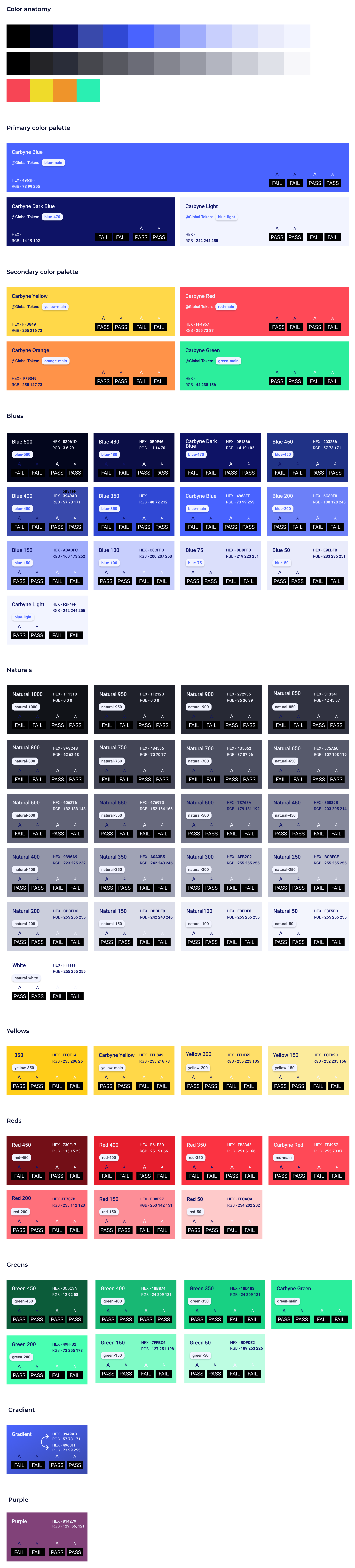
The initial Color Library in the Design System followed a relatively simple approach, establishing a first level of hierarchy by grouping colors into three main categories: Primary, Secondary, and Neutrals.Each color category included multiple shades, ranging from the darkest to the lightest tones. These colors were then manually assigned to individual component elements, making the system functional but limiting its flexibility and scalability.

With the introduction of a Light Mode, the existing color system quickly revealed its limitations. Since colors were manually assigned to each component, switching themes would require editing the colors of every component individually.

How can we switch themes without redesigning every component?

variables

02

Variables as a Solution

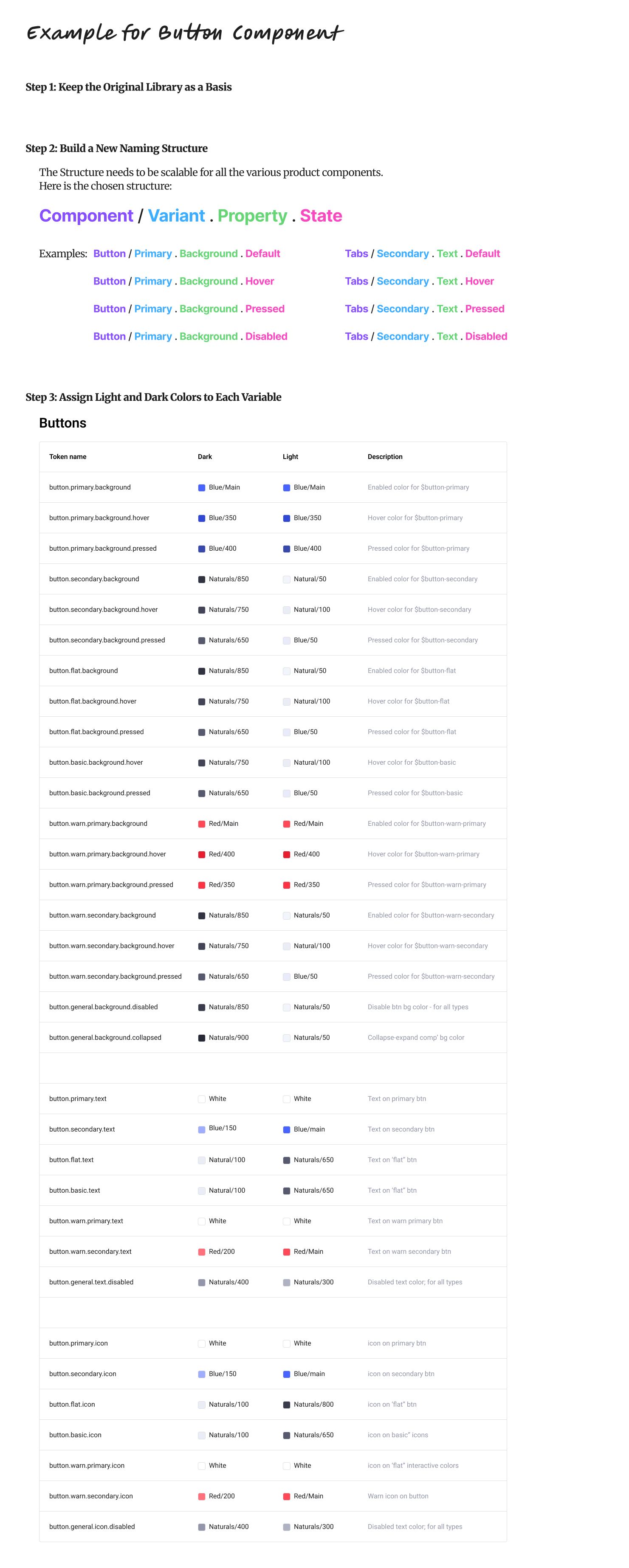
To introduce Light Mode, we built a structured Variables Library in Figma that connected colors to components and themes. This allowed us to switch between Dark and Light Mode in one click, without manually updating each component.

Building a Scalable Variable Naming System

dark to light mode

03

Switch From Dark to Light Mode

Once the colors were integrated into the Variable Naming System for both Dark and Light Modes, we applied these variables to the different components.

Now, simply placing a component inside a frame configured in Light Mode automatically adapts it to the light theme. The theme switch happens instantly, without requiring any manual changes to the components.

ALi request feature

04

Feature Building - Documentation

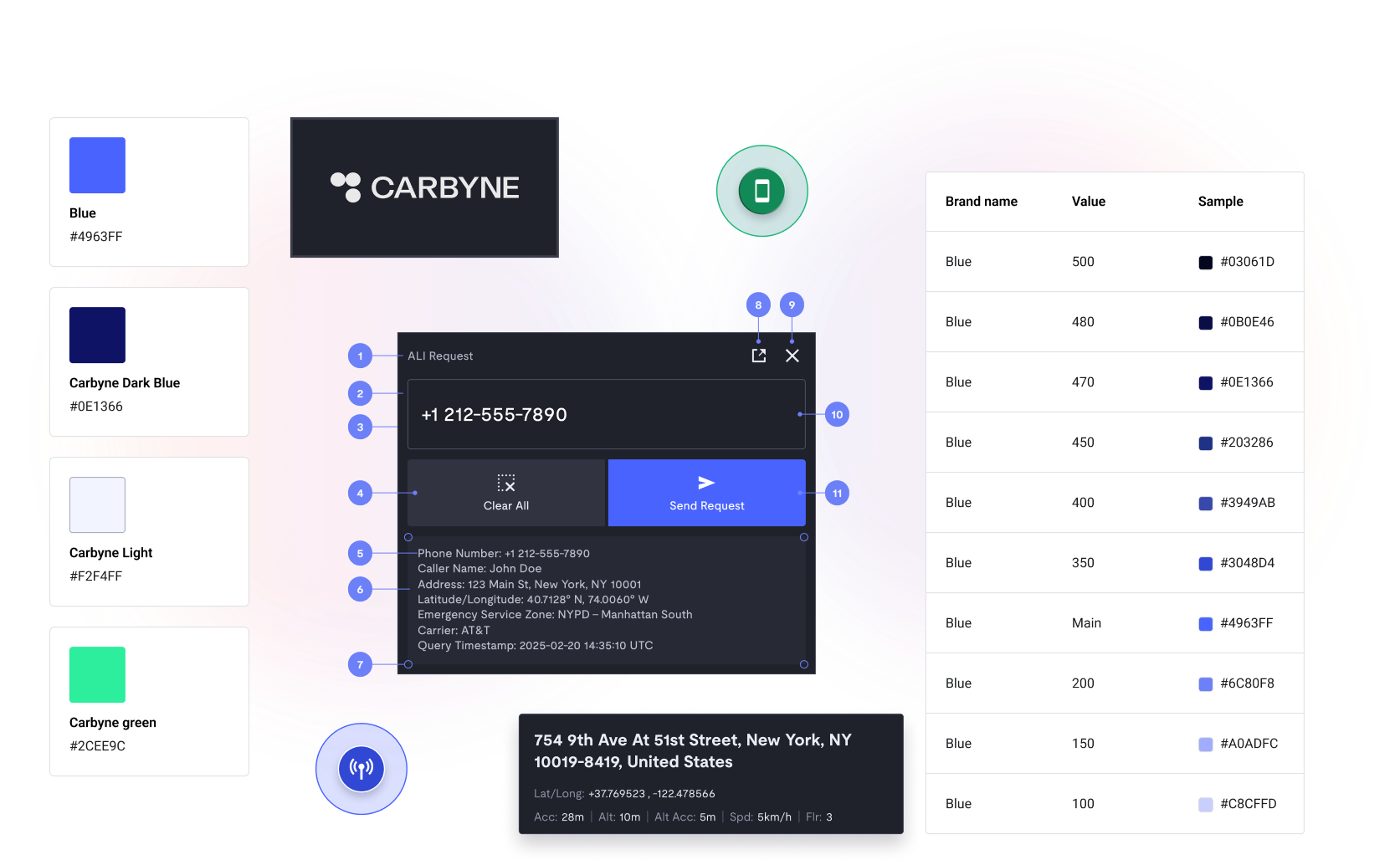
Another key part of the project was designing a feature called “ALI Request.”

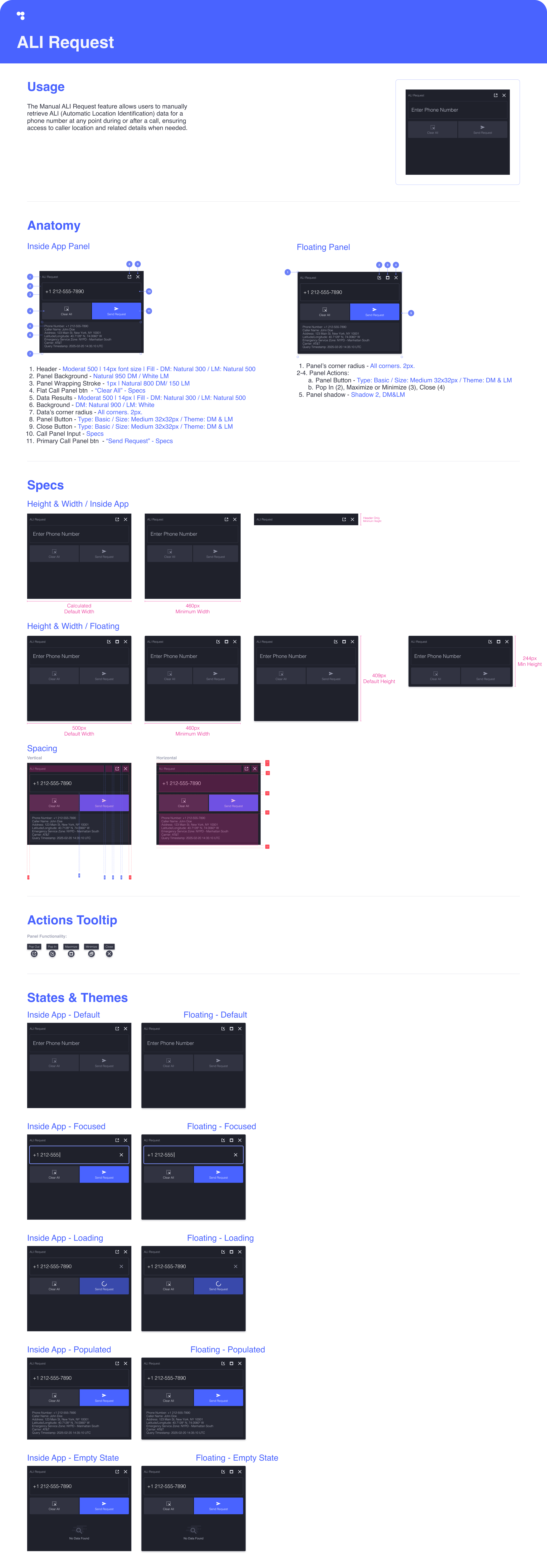
The Manual ALI Request feature allows users to manually retrieve ALI (Automatic Location Identification) data for a phone number at any point during or after a call, ensuring access to the caller’s location and other relevant details whenever needed.

To ensure the feature remains consistent and scalable, we created dedicated documentation outlining its usage, behavior, and guidelines. This documentation provides a clear reference for any designer or developer working with the feature, making it easier to maintain and evolve over time.